Google Quietly Overhauls Android’s Messaging UI: The UX Shift Decoded as Battle with Apple and WhatsApp Intensifies
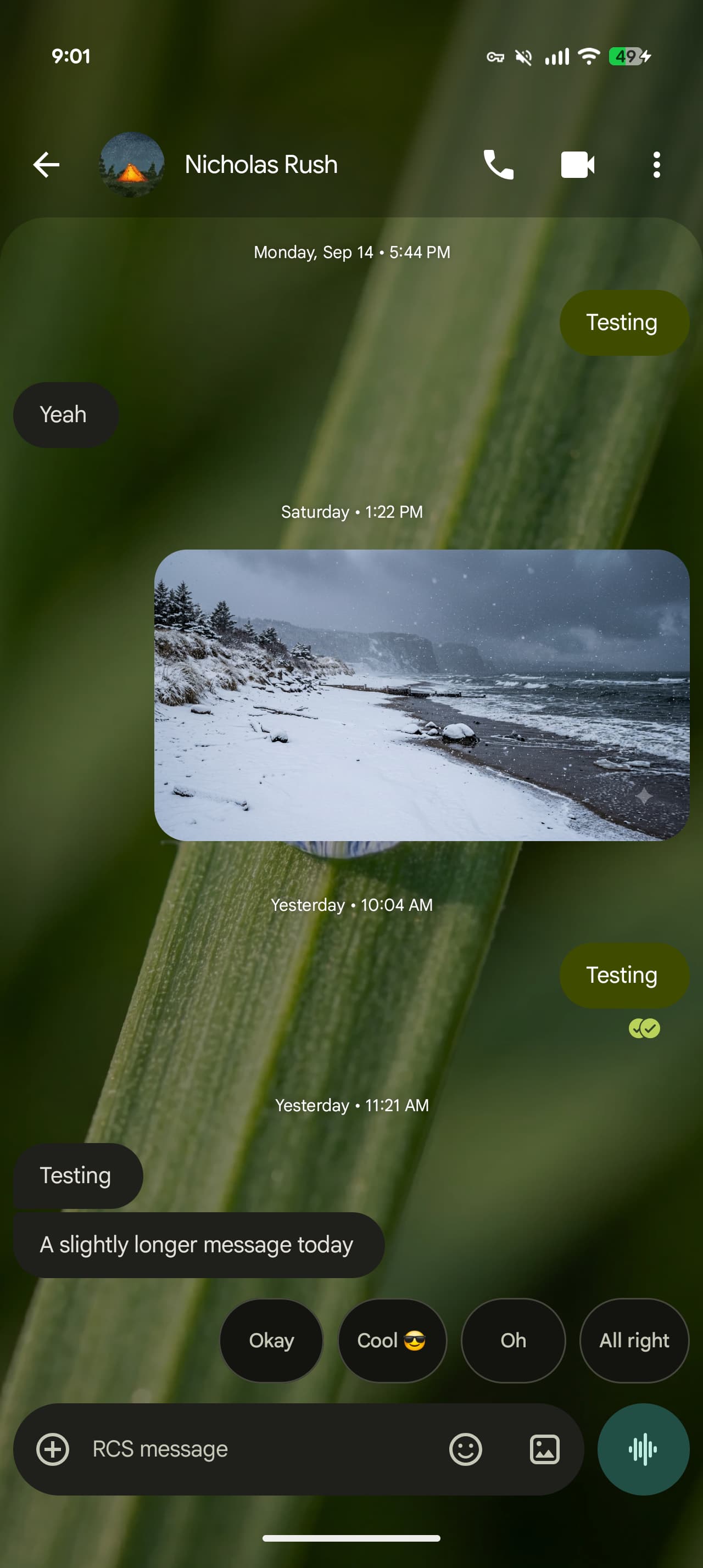
MOUNTAIN VIEW, CA — In a strategic bid to narrow the user-experience gap with Apple’s iMessage and Meta’s WhatsApp, Google has begun the global rollout of a major gesture redesign within its flagship Google Messages app. The update, which alters how billions of Android users interact with their daily chats, introduces a highly anticipated "swipe-left" gesture to reveal message timestamps, while simultaneously refining the swipe-to-reply mechanic.
For years, Android's default messaging client has grappled with subtle UX inconsistencies that power users criticized as clunky compared to its iOS and Meta counterparts. By streamlining these core micro-interactions, Google is sending a clear signal: the fight for the default messaging inbox is no longer just about network protocols like RCS (Rich Communication Services); it is about the split-second tactile sensations that define modern smartphone utility.
The Anatomy of the New Gesture Engine
Prior to this update, viewing the precise delivery time of a message in Google Messages required a tedious tap-and-hold action followed by a click on the "Info" icon in the top toolbar—a multi-step workflow that disrupted the natural flow of conversation. Alternatively, swiping left on a message bubble served as a shortcut to trigger a reply, which often led to accidental replies when users simply wanted to navigate the thread.
The new roll-out restructures these behaviors to align with global industry standards:
- Universal Swipe-Left for Timestamps: Swiping left anywhere on the conversation screen now dynamically slides the entire message thread to the left, revealing a clean, vertical column of precise delivery and read timestamps. This behavior directly mirrors the beloved, intuitive interface of Apple iMessage.
- Refined Swipe-Right to Reply: To prevent gesture conflicts, Google has repurposed the swipe-to-reply mechanism. Users can now swipe right on a specific message bubble to instantly initiate a nested reply, bringing the app into absolute parity with WhatsApp and Telegram.
- Fluid Haptic Feedback: The gestures are accompanied by upgraded, subtle haptic vibrations on supported Android devices, making the virtual environment feel tactile and responsive.
This UI refinement is currently rolling out to beta testers and a rapidly expanding cohort of stable-track users globally, with a full production release expected to conclude within the coming weeks.
Why Micro-Interactions Dictate the RCS Era

To the casual observer, changing a swipe gesture might seem like a minor cosmetic tweak. To product designers and market analysts, however, it represents a critical defensive and offensive maneuver in the ongoing messaging wars.
With Apple's recent adoption of the RCS standard in iOS 18, the green-bubble-versus-blue-bubble divide has begun to soften at the feature level. High-resolution media sharing, read receipts, and typing indicators are now functional across the Android-iOS divide. Consequently, the primary battleground has shifted from *what* the platforms can send, to *how* it feels to send them.
"In the mobile ecosystem, friction is the ultimate churn vector," notes an industry analyst. "If a user finds it marginally more satisfying or faster to check timestamps or reply to a thread on WhatsApp than on their native SMS/RCS client, they will migrate. Google's gesture overhaul is about retaining the billion-plus users who are currently testing the waters of unified RCS."
How Google Messages Compares to the Competition
The table below highlights how the new Google Messages interface stacks up against the world’s leading messaging platforms regarding these critical, daily-use gestures:
| Platform | Timestamp Gesture | Reply Gesture | UX Feel & Customization |
|---|---|---|---|
| Google Messages (New) | Swipe Left (Entire Screen) | Swipe Right on Bubble | High fluidity; integrates Material You haptics. |
| Apple iMessage | Swipe Left (Entire Screen) | Double-tap or Long-press | Highly polished; lack of swipe-to-reply is a minor pain point. |
| Meta WhatsApp | Swipe Left on Bubble | Swipe Right on Bubble | Industry standard; highly functional but lacks system-native integration. |
The Business Implications: Securing the Default Inbox
For Google, Messages is more than just a utility app—it is a vital pillar of its consumer ecosystem and a budding portal for business-to-consumer (B2C) communication. Through RCS Business Messaging, Google monetizes the inbox by allowing enterprises to send rich, interactive messages, complete with payment portals and carousel menus, directly to Android users.
To protect this highly lucrative revenue pipeline from being cannibalized by WhatsApp Business, Google must ensure that the native Messages app remains the default destination for consumer eyes. A clunky interface risks pushing users permanently into the arms of Meta's suite of messaging tools. By polishing the native experience to match the fluid physics of third-party apps, Google cements its real estate on the Android home screen.
Future Outlook: AI and Beyond
Looking ahead, this gesture cleanup lays the physical groundwork for deeper feature integrations. Google is currently testing more robust Gemini AI capabilities directly inside the chat interface. A streamlined gesture framework ensures that as AI-generated summaries, smart replies, and contextual actions are layered into the app, the foundational UI remains uncluttered and easy to navigate.
As the rollout continues globally across Samsung, Pixel, and other major Android OEM devices, the updated gesture framework represents a mature, necessary evolution for Google Messages—transforming it from a basic SMS fallback into a highly competitive, premium communication hub.
Frequently Asked Questions (FAQ)
How do I enable the new swipe-left for timestamps gesture in Google Messages?
This feature is being rolled out server-side via a background update. To ensure you receive it as quickly as possible, navigate to the Google Play Store, search for "Google Messages," and verify that your app is updated to the latest available version. If you are enrolled in the Google Messages Beta program, you will likely see this feature active immediately.
Can I customize or disable these specific swipe gestures in the settings?
Currently, Google does not offer granular customization options to toggle or swap the direction of the swipe-to-reply or swipe-for-timestamp gestures. They are baked into the core layout of the application to establish a unified design standard across all Android devices running the app.