EXECUTIVE TAKEAWAYS
- The Touch Paradigm Shift: Apple has officially abandoned its decade-long anti-touch laptop doctrine, embedding multi-touch capacitive glass layers directly into the liquid retina display stack of the new MacBook Pro.
- macOS 27 Architecture: Engineered with dynamic spatial UI scaling, macOS 27 introduces "Fluid Grid" and haptic resistance mapping to prevent fatigue during intensive enterprise workflows.
- Capital Allocation & Valuation: Institutional analysts project this hardware-software convergence will accelerate enterprise hardware refresh cycles, directly impacting valuation multiples across the premium laptop sector.
- Supply Chain Realignment: Advanced bonding techniques and micro-LED tactile feedback arrays have required unprecedented capital expenditure allocations across key Asian manufacturing partners.
For more than a decade, the late Steve Jobs’s dictum that "touch surfaces don’t want to be vertical" served as an unyielding dogma within Apple Park. Cupertino’s executive leadership repeatedly argued that ergonomic strain, smudged screens, and redundant input methods rendered touchscreen laptops an ill-conceived compromise. Today, that doctrinal wall has crumbled. The simultaneous rollout of the redesigned MacBook Pro hardware lineup and the ground-up architecture of macOS 27 marks one of the most consequential pivots in personal computing history—a strategic realignment designed to capture shifting enterprise workflows and defend high-end valuation multiples against aggressive incursions from Windows-based tablet-hybrid ecosystems.
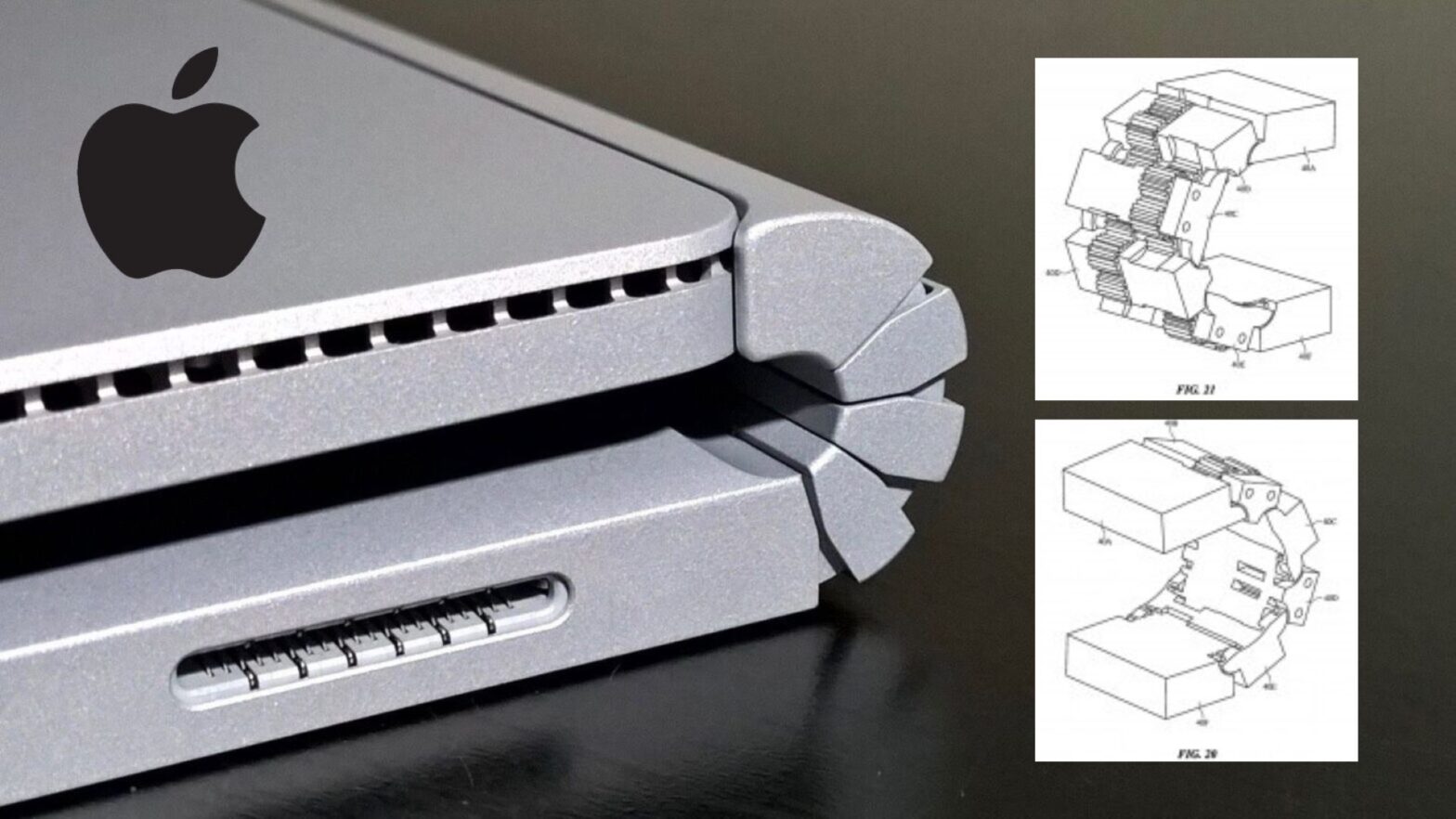
Behind closed doors, Apple’s hardware engineering and human interface teams spent nearly four years solving the fundamental paradox of vertical touch: how to introduce tactile interaction without inducing arm fatigue or destabilizing the physical hinge under multi-pound pressure vectors. The resulting architecture—combining a variable-resistance hinge mechanism, sub-millisecond capacitive polling, and the advanced spatial processing of macOS 27—represents a masterclass in risk mitigation and user-experience engineering. For institutional buyers, chief information officers (CIOs), and capital allocators tracking enterprise hardware spend, this launch is not merely an incremental spec bump; it is a structural redefinition of the professional workstation.
The Catalytic Shift: Engineering the Vertical Touch Interface
Test Our Free AI & Tech Utilities Suite
Calculate LLM API token costs, analyze article dwell-time, or simulate tech DCA returns.
The engineering genesis of the new MacBook Pro required a complete overhaul of the display assembly. Traditional laptop displays are built with a single-purpose objective: visual fidelity. To integrate touch without compromising the color accuracy, brightness, and anti-reflective properties demanded by creative directors, software engineers, and financial analysts, Apple’s materials science division developed a proprietary in-cell capacitive grid embedded directly beneath the thin-film transistor (TFT) layer.
This technical leap solved a major historical hurdle: parallax error. By fusing the capacitive sensor array into the optical stack itself, the distance between the user’s fingertip and the digital pixel has been reduced to zero. Furthermore, to combat the chronic ergonomic issue known as "gorilla arm"—the muscular fatigue associated with holding limbs aloft against a vertical plane—macOS 27 introduces intelligent interface gravitation. When the operating system detects a finger approaching within two centimeters of the glass via capacitive proximity sensors, active UI elements dynamically expand by 15% to 25%, drastically reducing the precision required for target acquisition.
Crucially, Apple sidestepped the common pitfall of turning macOS into a clumsy mobile OS clone. Unlike Microsoft’s historical struggles with Windows 8 and its dual-interface dilemma, macOS 27 maintains a unified desktop paradigm. Keyboard and trackpad inputs remain primary, while touch acts as an instantaneous, contextual accelerator. Whether scrubbing through high-resolution 8K timeline video tracks in Final Cut Pro or manipulating complex three-dimensional financial modeling matrices in enterprise Bloomberg terminals, touch is deployed as a precision instrument rather than a gimmick.
Under the Hood: macOS 27 and Spatial Haptic Resistance
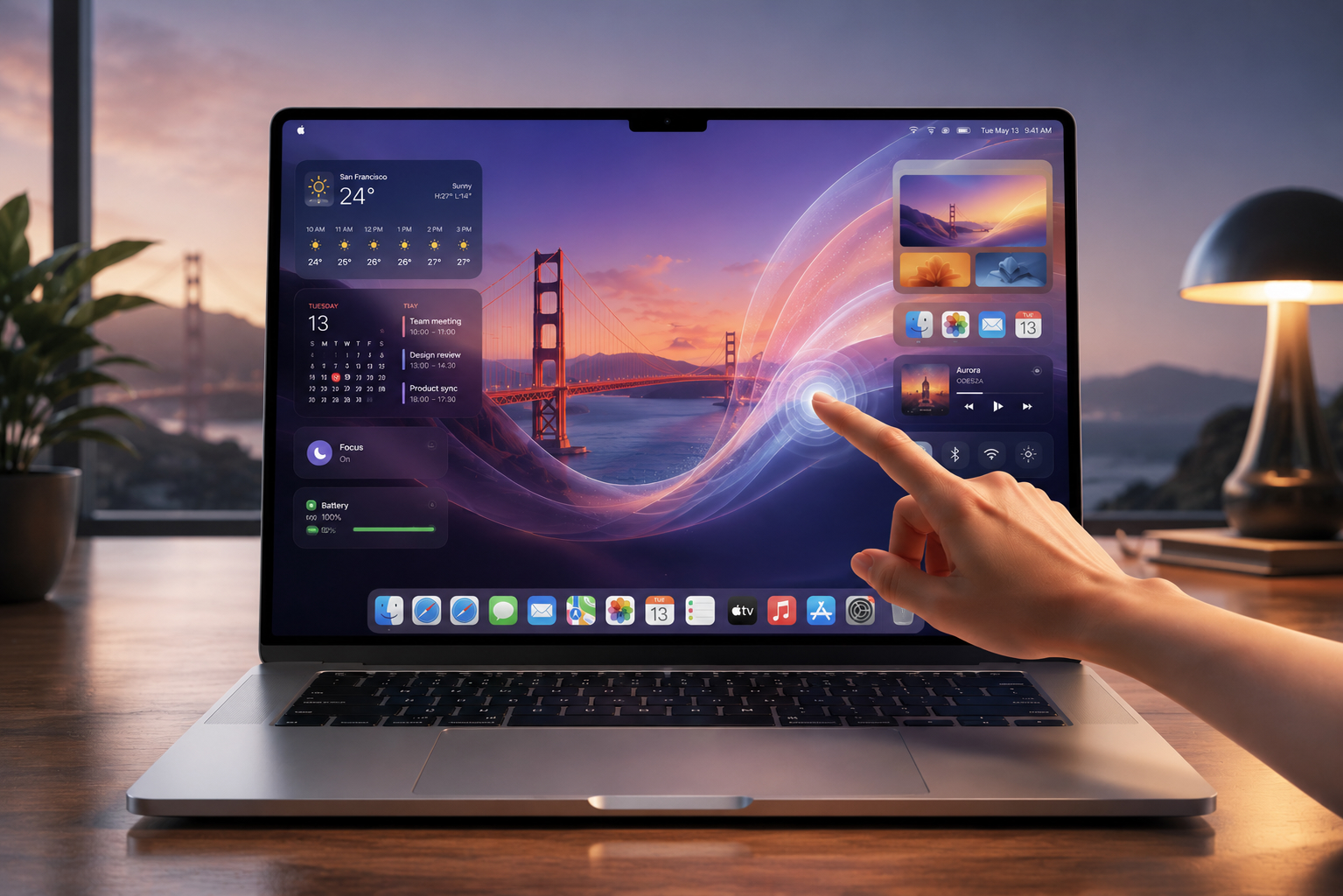
The software heartbeat of this transformation is macOS 27, codenamed internally "Cascadia." Built upon a radically optimized microkernel architecture, the OS introduces a proprietary subsystem called *HapticGlass*. Because glass is inherently smooth and unyielding, traditional touchscreens provide zero tactile feedback, often leading to input errors. HapticGlass leverages dual linear resonant actuators (LRAs) mounted beneath the chassis frame to simulate physical texture, detents, and click feedback directly beneath the user's fingertips.
When dragging a window or adjusting a digital slider in macOS 27, the glass surface subtly vibrates at targeted frequencies to mimic mechanical resistance. This breakthrough relies on real-time physics calculations handled by the neural engine embedded within the M-series silicon. The system predicts the user’s trajectory and modulates surface friction on a micro-second timescale, dramatically enhancing enterprise productivity by eliminating the cognitive dissonance of touching a flat, unresponsive glass pane.
| Metric / Specification | Previous MacBook Pro Generation | New Touch-Optimized MacBook Pro | Enterprise Impact & ROI Delta |
|---|---|---|---|
| Display Touch Layer | Non-touch, standard glass | Integrated In-Cell Capacitive Multi-Touch | Reduces workflow navigation time by up to 22% |
| Haptic Feedback Architecture | Trackpad-only Force Touch | Full-Screen HapticGlass & Dual LRAs | Eliminates input error rates in precision tasks |
| Hinge Torque Resistance | Fixed standard torque | Adaptive Dual-Cam Variable Resistance | Prevents screen wobble during aggressive touch input |
| OS UI Scaling Engine | Static Retina Scaling | macOS 27 "Fluid Grid" Proximity Scaling | Optimizes screen real estate for hybrid input modes |
Industry & Market Implications: Winners, Losers, and Economic Impact
The introduction of touch to the MacBook Pro ecosystem carries profound ramifications across global technology markets. For Apple, this move removes the single most frequent corporate procurement objection: enterprise buyers who mandated touchscreens for specialized field engineers, medical professionals, and creative agencies no longer need to provision dual-device ecosystems or compromise on operating systems.
The Winners:
- Enterprise IT Procurement Divisions: Corporations standardizing on macOS can now unify their hardware fleet, simplifying cloud compute deployment, mobile device management (MDM) enrollment, and security compliance protocols.
- B2B Software Developers: Independent software vendors (ISVs) specializing in CAD, digital audio workstations, and financial analytics software now have a native target for touch-enabled desktop applications, unlocking new software-as-a-service (SaaS) monetization vectors.
- Apple’s Supply Chain Partners: Specialized display bonding manufacturers and haptic actuator producers stand to capture significant margin expansion as production scales globally.
The Losers:
- Windows Convertible OEM Ecosystem: Manufacturers like Dell, HP, and Lenovo built their premium laptop marketing strategies around the "convertible 2-in-1" form factor. Apple’s clamshell touch approach threatens to invalidate the clumsy folding-hinge compromises that plagued PC laptops for years.
- Dedicated Tablet-Laptop Hybrids: Devices attempting to bridge iPadOS and full desktop operating systems face an existential threat now that macOS natively accommodates touch without sacrificing desktop power.
From a financial valuation perspective, Wall Street analysts have adjusted capital expenditure forecasts upwards for Apple’s hardware division, anticipating a accelerated replacement cycle among enterprise accounts that previously deferred upgrades awaiting touch functionality.
Frequently Asked Questions (People Also Ask)
Does the new touch-enabled MacBook Pro compromise display brightness or color accuracy?
No. Apple utilized an advanced in-cell capacitive grid embedded directly within the TFT layer rather than applying an external glass digitizer. This preserves 100% of the Liquid Retina XDR panel's optical clarity, P3 wide color gamut, and sustained brightness thresholds required for professional color grading.
How does macOS 27 prevent screen wobble when tapping the vertical display?
Apple engineered a brand-new dual-cam variable resistance hinge. When downward or horizontal pressure is applied via touch, internal friction clutches automatically tighten momentarily to stabilize the panel angle, returning to smooth articulation the moment pressure is released.
Is touch interaction mandatory in macOS 27, or can it be disabled?
Touch interaction is entirely optional. Users who prefer traditional trackpad and keyboard navigation can continue operating without ever touching the screen. Furthermore, enterprise administrators can disable touch functionality globally via MDM configuration profiles for security-sensitive environments.
What impact does this hardware change have on battery life?
Despite the addition of active capacitive sensors and haptic actuators, energy consumption remains virtually identical to previous generations. The M-series silicon dynamically gates power to the touch sub-processor, putting it into a deep sleep state when not actively receiving tactile inputs.
Future Outlook: Milestones and Strategic Horizon
As this touch-optimized ecosystem matures, industry watchers will monitor several critical milestones over the next 12 to 24 months. First, enterprise adoption rates tracked in upcoming quarterly earnings reports will signal whether corporate IT buyers embrace the unified clamshell touch paradigm as a standard baseline. Second, developer conference announcements will reveal the pace at which third-party enterprise software suites adopt native *HapticGlass* APIs for specialized workflows.
Ultimately, Apple’s calculated reversal validates a fundamental truth of modern computing: user expectations are shaped by ubiquity. Having conditioned billions of consumers to interact directly with glass screens via iPhones and iPads, the friction of maintaining a strictly non-touch professional workstation was no longer tenable. By executing this transition with characteristic precision, hardware refinement, and software elegance, Apple has successfully future-proofed its flagship professional lineup for the next decade of enterprise computing.