As tech giants face fresh allegations of scanning home networks and recording private conversations, consumers are fighting back. Here is your definitive guide to reclaiming your digital privacy.
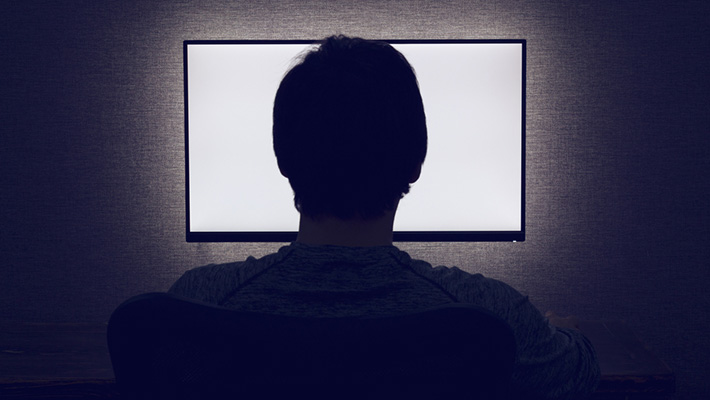
It is the ultimate Trojan horse of the modern digital era. For the past decade, consumers have celebrated the plummeting cost of large, high-definition television screens. Today, a stunning 65-inch 4K smart TV can be purchased for a fraction of what a standard flat-screen cost a generation ago. However, this price drop was never a gift of manufacturing efficiency. It was a calculated business pivot. Television manufacturers have transformed from hardware sellers into sophisticated data brokers, using the biggest screen in your home to quietly monitor your daily life.
Recent industry scrutiny has reached a boiling point. Leading smart TV manufacturers, most notably LG, have faced intense public backlash and fresh allegations regarding the extent of their background data harvesting. Reports indicate that some smart TVs are not only tracking what you watch via Automatic Content Recognition (ACR) but are also actively scanning other connected devices on your home network and recording ambient voice conversations. What was once dismissed as paranoiac conspiracy has now been laid bare in user agreements and technical traffic analyses: your TV is actively spying on you.
The Business of "Post-Purchase Monetization"
To understand why your television is tracking you, one must look directly at the balance sheets of modern electronics conglomerates. Hardware margins on televisions are notoriously razor-thin. To offset this, manufacturers rely on "post-purchase monetization." Through targeted advertising, selling viewing history to third-party data aggregators, and licensing home-network maps, manufacturers generate continuous, high-margin revenue long after you walk out of the retail store.
The primary weapon in this surveillance apparatus is Automatic Content Recognition (ACR). ACR technology analyzes visual and audio "fingerprints" of whatever is currently on your screen—whether it is a cable broadcast, a streaming service, a video game, or even a home video—and matches it against a massive global database. This data is then matched with your IP address, revealing your household's political leanings, purchasing habits, and daily schedules to advertisers in real time.
Data Harvesting Matrix: How the Major Brands Compare

Every major television brand utilizes a unique operating system to track, profile, and monetize its user base. The table below outlines the primary data collection vectors and the relative difficulty of opting out across the industry's dominant players.
| TV Brand & OS | Primary Tracking Technology | Key Data Collected | Opt-Out Complexity |
|---|---|---|---|
| LG (webOS) | LivePlus ACR & Network Scanning | Viewing history, voice queries, local network device names, app usage. | Medium (Requires navigating multiple nested privacy menus). |
| Samsung (Tizen) | SyncPlus ACR | On-screen content, voice interactions, physical location (via IP), device identifiers. | High (Often prompts users repeatedly to re-enable services). |
| Roku TV | More Interactive TV (ACR) | Search queries, channel selections, audio/video fingerprinting, ad interactions. | Low (Centralized privacy settings, but limits system functionality). |
| Sony / Google TV | Google Analytics & ACR Partners | Search history, YouTube usage, location data, app preferences, voice commands. | High (Tightly integrated into the global Google advertising profile). |
Step-by-Step: How to Lock Down Your Smart TV
You do not have to accept this intrusion of privacy as an inevitable tax of modern technology. By taking control of your device's settings, you can systematically dismantle its ability to monitor your home. Here is how to protect yourself on the most common platforms.
1. Deactivate Automatic Content Recognition (ACR)
- On LG TVs: Go to Settings > All Settings > General > System > Additional Settings > Terms of Use. From here, disable LivePlus User Agreement.
- On Samsung TVs: Navigate to Settings > All Settings > Terms & Privacy > Privacy Policy. Select Viewing Information Services and uncheck the opt-in box.
- On Roku TVs: Go to Settings > Privacy > Smart TV Experience. Uncheck Use Info from TV Inputs to disable ACR tracking on external devices like cable boxes or consoles.
2. Silence the Microphones
Modern remote controls and TVs feature always-listening microphones for voice commands. Turn off voice wake-words (like "Hi LG" or "Hi Bixby") in your system's voice assistant settings. If you do not use voice search, revoke microphone permissions entirely in the privacy settings menu. For absolute certainty, some privacy advocates recommend placing a small piece of non-conductive tape over physical microphone pinholes on the remote control.
3. Block Network and Device Scanning
Recent reports highlight smart TVs mapping local Wi-Fi networks to identify other smart devices in your home (such as your personal phones, laptops, and smart speakers). Go to your TV's connection or network settings and disable "External Device Connection" or "Device Discovery" features. This prevents the TV from building an inventory of your household's hardware ecosystem.
4. The Nuclear Option: Go Completely Offline
The single most effective way to protect your privacy is to disconnect your smart TV from the internet entirely. You can factory reset your TV, refuse to connect it to your home Wi-Fi network, and instead use an external streaming device (such as an Apple TV, which currently maintains a significantly stricter privacy policy regarding third-party data monetization) to power your viewing experience.
The Regulatory Horizon: Will Consumers Ever Be Safe?
As consumer outcry intensifies, regulatory bodies are beginning to take note. The Federal Trade Commission (FTC) has previously penalized manufacturers like Vizio for unauthorized tracking, setting a legal precedent that consumer consent must be explicit, not buried in hundreds of pages of legalese. In Europe, the stringent General Data Protection Regulation (GDPR) has forced manufacturers to offer cleaner, clearer opt-out pathways, though enforcement remains a continuous game of whack-a-mole.
For now, the onus of digital defense remains firmly on the consumer. Until federal privacy frameworks treat your living room as a sacred space immune to commercial surveillance, taking ten minutes to audit your television’s privacy settings remains the most valuable investment you can make in your personal autonomy.
Frequently Asked Questions
Can my smart TV still track me if I only use external devices like a PlayStation or Apple TV?
Yes. If your smart TV is connected to the internet and has ACR enabled, it can analyze the pixel and audio data coming through the HDMI ports. This means it can identify and log movies, shows, or video games played through external consoles just as easily as if you were using the TV's native streaming apps. To stop this, you must disable the ACR settings on the TV itself.
If I opt out of all privacy agreements, will my TV stop working?
No. While manufacturers will display ominous warnings claiming that opting out will break your TV's functionality, the core features of your television—such as switching inputs, adjusting volume, and using basic applications—will continue to work. You may lose access to personalized content recommendations and hands-free voice search, but your TV will function perfectly as a display screen.